An open forum for all enthusiasts of the classic 60 series Nissan Datsun Patrol to gather and share information and gain knowledge. Members share off-road stories, restoration advice, modification ideas in an atmosphere free of a single controller. The fo
So now if I try to click on pic in the random pics list across the top it asks me if I wanna save the file and doesn't take me to the gallery like it used to?!!? Is this a product of the mods you did??
Seriously!? I didn't touch the settings for the Gallery! What browser are you using? I'm on the iPhone right now so I can't check it. You guys are giving me a headache. (Just kidding. )
So now if I try to click on pic in the random pics list across the top it asks me if I wanna save the file and doesn't take me to the gallery like it used to?!!? Is this a product of the mods you did??
I checked it with 2 different browsers, neither ask to save the file. It is possibly a setting in your browser, to save an image rather than displaying it when you click on it. If you click on the image name under the random pic, then it takes you to the album. I'll need more info from you to work this issue any further.
I haven't moved any images- I thought those 3 were taken from my gallery...
I'll go look and see whassup.
L-R:
White 65 Hardtop L60-3-00617 (undergoing restoration)
Red 65 hardtop 4L60-002565 (scrapped for parts)
66 Hardtop "El-Bondo Patrol", L60-00511 (Restored, then sold June2020)
Blue 67 Hardtop (sold March1997)
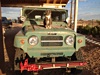
Green 62 Softtop L60-2-00504 (undergoing restoration)
faux40 wrote: On an unrelated but unimportant note, I use Firefox mostly for firebug.
Firebug is cool.
I also use it mainly for the Header Tool -- another awesome development and security utility
L-R:
White 65 Hardtop L60-3-00617 (undergoing restoration)
Red 65 hardtop 4L60-002565 (scrapped for parts)
66 Hardtop "El-Bondo Patrol", L60-00511 (Restored, then sold June2020)
Blue 67 Hardtop (sold March1997)
Green 62 Softtop L60-2-00504 (undergoing restoration)
faux40 wrote:... and to moore_rb for coining the term "Imax the Magnificent".
And let's not forget the 'spinning spark maker'. I had the opportunity to use one today and it was hard to hold it steady because I was laughing at it's new name.
2869ral wrote:Sorry everybody, im probably the most guilty party in this discussion. Until i can figure out how to resize my pics, i will be very selective on what i post and how many. i do appologize.
Well, at least "Imax the Magnificent" is self-aware and repentant of his digital transgressions
Ron- you know I'm just joking with ya- Resizing photos (from a Windows computer) is actually really easy:
1) right-click the photo file (jpg, png, gif, bmp, whetever) and select "open with" , then chose "Paint" or "MS Paint" (There are actually a million photo-editors you can use, but every Windows machine comes with Paint installed by default.)
2) once the picture is open in Paint, "resize" is an option on the toolbar - click it, and a pop-up will ask you how much to adjust the horizantal and vertical scales - keep these values the same (50% for each, or 25% for each, etc) and after you have resized it to something that fits the screen the way you want it to, just hit the save icon, (or file--> save)
I understand completely and thanks for fixing that. This post just made me take a step back and realize IM SICK. Im on here ALL THE TIME. i have posted a ton of threads and pics, and i think i need to give everbody a break and take one myself. I will be back, im just going to take a vacation for a bit.



Is this a product of the mods you did??




 This post just made me take a step back and realize IM SICK.